Quick Answer
Alipay is one of China's most widely used mobile payment tools. In English mode, the bottom navigation has two tabs: Home and Me. The most common actions include: tapping Scan on the Home page to scan a merchant's QR code; tapping Pay/Collect to display your QR code for the merchant to scan; searching for Transport to get a city Travel Code for public transit; and managing bank cards, viewing transaction history, and contacting customer service under the Me tab. To set English: Me → Settings → General → Language → English.
Interface and Language Settings
The Alipay English interface has two bottom tabs:
- Home — Search bar, Scan, Pay/Collect, Mini Programs, and other common feature entries
- Me — Settings, Bank Cards, Bill, Customer Service
To set English: Me → Settings (gear icon) → General → Language → English. Some older versions may show Account instead of Me, but the function is the same.
Scan to Pay
Scanning to pay is Alipay's most-used feature:
- Path — Home → Scan, then point at the merchant's QR code
- Confirm payment — After scanning, enter the amount and payment password to complete
- Note — The button is called Scan, not Scan QR Code
Pay/Collect
When the merchant has a scanner, you present your own QR code:
- Path — Home → Pay/Collect, display your QR code for the merchant to scan
- QR code types — Includes both barcode and QR code formats; the merchant's scanner will select automatically
- Security — Never screenshot or share your payment code. Only display it in person to the merchant.
- Button name — It's called Pay/Collect, not Pay/Receive
Travel Code (Public Transit)
Alipay supports public transit codes in hundreds of Chinese cities:
- Path — Search Transport on the Home page → select your city → get your Travel Code
- Usage — Hold the Travel Code up to the scanner at a bus or subway gate to pass through
- Coverage — Hundreds of cities across China
- Button name — The user-facing name is Travel Code, not Transport Code
Bank Cards
- Path — Me → Bank Cards
- Add a card — Tap Add Card, enter card number. Supports international credit cards (Visa, Mastercard).
- Card management — Set default payment card, view card info, or remove a linked card
- Real-Name Verification — Foreigners must complete identity verification with passport information after linking a card
Bill and Customer Service
- Bill — Me → Bill, view all transaction records, filter by time, view transaction details
- Customer Service — Me → Customer Service, online support, complaints, and FAQ
e-CNY
Alipay supports the digital yuan:
- Name — Called e-CNY, not Digital RMB
- Usage — Open an e-CNY wallet within Alipay to pay with digital yuan at participating merchants
Mini Programs
Alipay also has a rich Mini Program ecosystem:
- Access — Search Mini Programs in the Home page search bar, or search by program name
- Common programs — Bike sharing (e.g., Hellobike), food delivery, ride-hailing
- Management — View recently used Mini Programs on the Home page; long-press to remove or favorite
Practical Tips
- Use Alipay instead of cash — Nearly every merchant in China accepts Alipay, from shopping malls to street vendors. Scanning to pay is faster and more convenient than cash.
- Link your card before traveling — Complete bank card binding and Real-Name Verification before arriving in China to avoid setup delays at the airport.
- Set up Travel Code in advance — In each new city, search Transport to activate that city's Travel Code before heading to the subway.
- Transaction history for reimbursement — Use Bill to view and screenshot transaction records for expense reports.
- Customer Service supports English — The Customer Service page accepts English inquiries for payment issues.
- Mind your limits — International card-linked Alipay has per-transaction and annual cumulative limits. Confirm limits before large purchases.
The following are the author's personal QR codes (not merchant codes), with a fixed amount of ¥10.00 set for testing whether your card binding was successful.

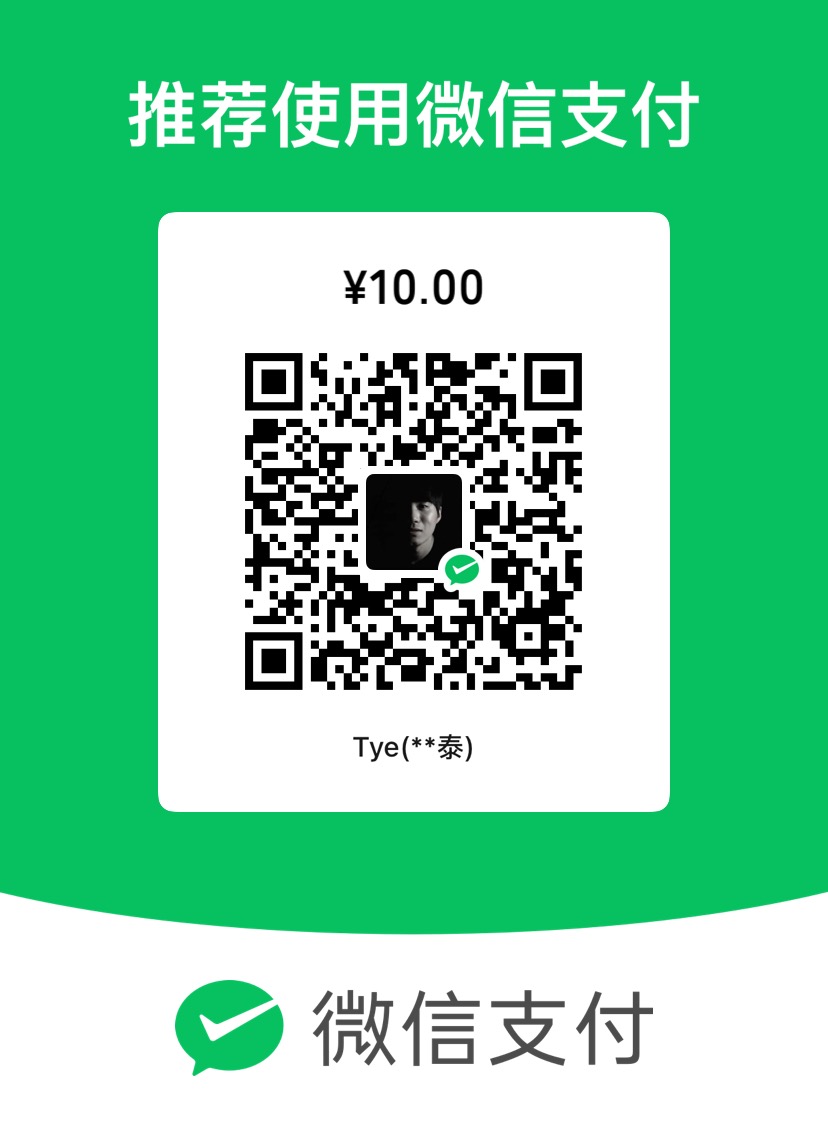
About Personal QR Codes: This website is maintained by an individual. The QR codes are for personal daily use, not merchant codes. Since personal QR codes may not be able to accept international credit card payments, the transaction may fail. However, this does not mean your card binding failed — the fact that you reached the payment page itself confirms that your binding was successful.
About the Amount: Please do not modify the preset amount. This is simply a payment test. If the payment goes through, consider it as buying me a coffee. The fixed amount is set to avoid any inconvenience caused by accidentally entering the wrong amount.
Important: The primary purpose of these codes is to help you verify whether your registration and card binding were successful, not to generate profit. If you're not comfortable, feel free to skip this step.