Quick Answer (30 Seconds)
Foreigners can register WeChat with an international phone number — no Chinese number needed. Download the app, search "WeChat," enter phone number → verification code → set password, done in three minutes. But here's the catch: without a linked bank card, you can't use WeChat Pay. The good news is that since 2024, WeChat Pay supports linking Visa/Mastercard and other international cards (with spending limits). WeChat isn't just "a chat app" in China — it's social + payment + health code + mini programs + government services all rolled into one super app. Without it, you're stuck. Alipay is an alternative for payments, but WeChat's social role is irreplaceable.
Remember: the first thing you do in China isn't finding WiFi — it's registering WeChat.
Full Guide
WeChat isn't "a chat app" in China — it's social, payment, health code, mini programs, and government services all in one super app. Without WeChat, you're essentially stuck in China. Alipay can substitute for payments, but WeChat's social role is irreplaceable.
Step 1: Download WeChat
- iPhone: Search "WeChat" in the App Store (green icon).
- Android: Download from Google Play, or get the APK from weixin.qq.com.
The app auto-detects language. English and Chinese versions have identical features.
Step 2: Register an Account
- Open the app, select "Sign Up."
- Select your country code (+1 for US, +44 for UK, etc.).
- Enter your phone number.
- Receive and enter the SMS verification code.
- Set a password.
You don't need a Chinese phone number. Your home number works fine. Just make sure international roaming is enabled so you can receive SMS.
Step 3: Real-Name Verification
After registration, WeChat will prompt you to complete real-name verification. Linking a bank card is the fastest way to do this.
- Go to Me → Pay and Services.
- Tap Wallet.
- Select Bank Cards → Add a Bank Card.
- Enter your card number, expiry date, CVV, and billing address.
- Set a 6-digit payment password.
Supported cards: Visa, Mastercard, JCB, American Express.
Limits:
- Single transaction limit: ¥6,500 (~$900)
- Monthly limit: ¥50,000 (~$7,000)
- Annual limit: ¥65,000 (~$9,000)
- 3% fee on transactions over ¥200 (under ¥200 is free)
What you CAN'T do with a foreign card: Person-to-person transfers, sending red packets, utility bill payments.
Step 4: Daily Usage
Chat: The core feature. Send text, voice, images, and video. WeChat has a built-in translation feature — long-press a message and select "Translate."
Scan: Tap Scan to scan QR codes — this is the gateway to WeChat Pay. Scan a merchant's QR code to pay, or scan someone's code to add them as a friend.
Mini Programs: Embedded "mini apps" inside WeChat. Nearly every Chinese service has one — ride-hailing (DiDi), food delivery (Meituan), train tickets (12306), attraction bookings. No need to download separate apps.
Moments: Like Facebook's social feed. Share photos, links, and thoughts.
Important notes:
- Newly registered WeChat accounts have a 7-14 day "honeymoon period" where some features may be restricted (can't add too many people, can't send frequent group messages). Just use it normally — restrictions lift after this period.
- Accounts registered with international numbers have a higher risk of being flagged than Chinese numbers.
- WeChat button names in English: The bottom navigation button is Pay and Services (not "Services"), the scan button is Scan, and the payment entry is Money.
Step 5: WeChat Pay
Once you've linked a bank card, you can use WeChat Pay:
- Pay a merchant: Tap Money → Scan → scan merchant's QR code → enter amount → enter 6-digit payment password.
- Show your QR code for merchant to scan: Tap Money → display your payment code for the merchant to scan.
WeChat Pay vs Alipay:
- WeChat Pay: Strong social aspect, easy peer-to-peer transfers (after card binding), rich mini program ecosystem.
- Alipay: Pure payment tool, higher foreign card limits (¥35,000/transaction vs ¥6,500/transaction), wider merchant coverage.
- Recommendation: Link both, use as backup for each other.
Troubleshooting
Problem 1: Can't Receive Verification Code During Registration
Why: Your carrier blocks Chinese SMS, or you selected the wrong country code.
Fix: Double-check your country code. If SMS doesn't arrive, wait 60 seconds and choose the voice verification option. If that also fails, try a different phone number or contact your carrier to unblock international SMS.
Problem 2: "Card Not Supported" When Linking Foreign Card
Why: Some banks block China-related transactions by default.
Fix: Call your bank, tell them you're traveling to China, authorize international transactions, then retry.
Problem 3: New Account Feature Restrictions
Why: WeChat has a 7-14 day risk control observation period for new accounts.
Fix: Just use it normally — don't add too many people, don't send frequent group messages. Restrictions will automatically lift after the observation period. If you registered with an international number, the risk of being flagged is higher than with a Chinese number — this is WeChat's security policy.
Last verified: August 2026 · Sources: WeChat/WeChat official help center (weixin.qq.com/help), Tencent payment international card binding guide · Card binding policies and limits may change — check WeChat official announcements.
The following are the author's personal QR codes (not merchant codes), with a fixed amount of ¥10.00 set for testing whether your card binding was successful.

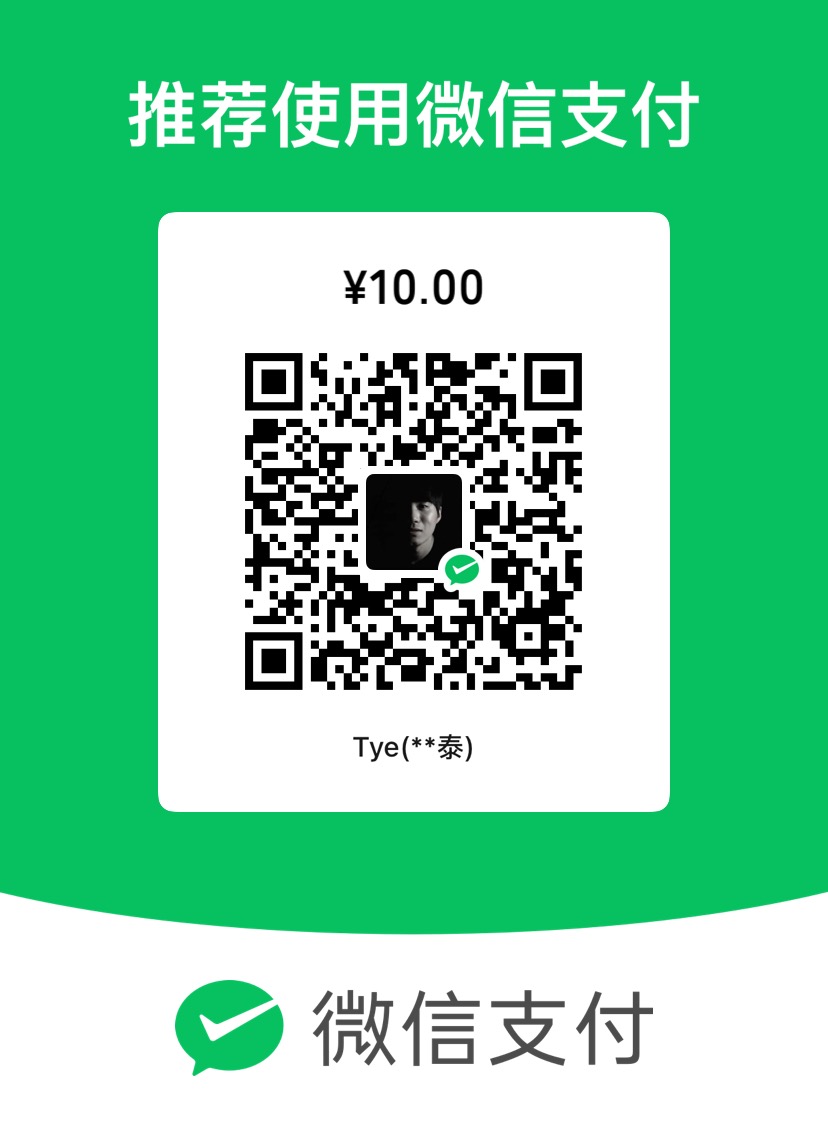
About Personal QR Codes: This website is maintained by an individual. The QR codes are for personal daily use, not merchant codes. Since personal QR codes may not be able to accept international credit card payments, the transaction may fail. However, this does not mean your card binding failed — the fact that you reached the payment page itself confirms that your binding was successful.
About the Amount: Please do not modify the preset amount. This is simply a payment test. If the payment goes through, consider it as buying me a coffee. The fixed amount is set to avoid any inconvenience caused by accidentally entering the wrong amount.
Important: The primary purpose of these codes is to help you verify whether your registration and card binding were successful, not to generate profit. If you're not comfortable, feel free to skip this step.