Quick Answer (30 Seconds)
WeChat Pay supports international credit cards (Visa/Mastercard/JCB/Diners/Discover/Amex), just like Alipay. The flow: download WeChat → register with international phone number → passport identity verification → bind your card → activate WeChat Pay. You can scan merchant QR codes to pay, or show your payment code for merchants to scan. But foreign cards don't support transfers or hóngbāo (red envelopes) — P2P features are locked for foreigners. Transactions over ¥200 incur a 3% fee, but new users get ¥1,000/day fee-free for the first 60 days. If you already have Alipay set up, WeChat Pay is optional — but some scenarios (Mini Program payments, in-article payments) only work with WeChat Pay.
Full Guide
After a few days in China, you'll realize WeChat is more than just a chat app. It's a super app — messaging, payments, Mini Programs, Official Accounts, utility bills, all in one. WeChat Pay is the payment feature built into WeChat, and it's Alipay's direct competitor. Can foreigners use it? Yes, but there are a few limitations you need to know about upfront. I've been in China for five years and use both platforms — here's the full setup walkthrough and the pitfalls to watch for.
Which Foreign Cards Are Supported
WeChat Pay supports cards from the following international card organizations:
- Visa — globally accepted, high success rate for binding
- Mastercard — same as above
- JCB — Japanese card organization, binds without issues
- Diners Club — supported but few users
- Discover — supported but few users
Note: Both Alipay and WeChat Pay support American Express. The supported card networks are identical: Visa/Mastercard/JCB/Diners/Discover/Amex.
Registration Process
- Download WeChat — Search "WeChat" on the App Store / Google Play, available globally
- Register an account — Use your international phone number (+1/+44/+81, etc.). SMS verification code usually arrives within seconds. WeChat supports phone numbers from most countries
- Set your WeChat ID — Like a username, set once after registration and cannot be changed. Others can find you using this ID
- Complete your profile — Avatar and nickname can be anything, they don't affect payment functionality
Identity Verification
WeChat Pay requires identity verification (实名认证 shí míng rèn zhèng). Without it, you can't bind a bank card or make payments:
- Open WeChat → Me → Pay and Services → Wallet
- Tap "Open Now" or "Identity Information"
- Select "Passport" (护照 hù zhào) as your ID type
- Enter your passport number and name (exactly as it appears on your passport)
- Upload a photo of your passport's photo page (clear, unobstructed, no glare)
- Complete facial recognition (blink and turn your head for the camera)
Verification typically passes within minutes to a few hours. If the information doesn't match your passport, verification will fail — double-check spelling and try different cases for your passport number.
Binding a Bank Card
- Me → Pay and Services → Wallet → Bank Cards
- Tap "Add a Bank Card"
- Enter your card number (manual entry or photo recognition)
- Fill in the cardholder name (matching your passport), expiry date, and CVV
- Your bank will send a verification code to the phone number on file with your bank
- Enter the code to complete binding
Pitfall: The phone number on file with your bank may not be your current number, meaning you won't receive the verification code. Contact your card issuer to update the phone number, or try a different card. I hit this snag binding my second card and went through three cards before one worked.
Payment Methods: Scanning and Being Scanned
WeChat Pay has two payment methods:
- You scan (scan-to-pay) — You use WeChat to scan the merchant's QR code, enter the amount, and confirm payment. Good for small shops, street vendors, and wet markets
- You get scanned (show payment code) — Open WeChat → Me → Pay and Services → Money, which generates a QR code for the merchant to scan with their scanner. Good for supermarkets, convenience stores, and chain restaurants
The path is: Me → Pay and Services → Money. When you open it, your payment code shows by default — swipe down to switch to "Scan" mode. In a convenience store, when the cashier says "sǎo yí xià" (scan), just open your payment code and let the machine scan it.
Fee Policy
This is basically identical to Alipay's rules — you need to understand it:
- Under ¥200 per transaction — no fee
- Over ¥200 per transaction — 3% fee
- New user bonus — for the first 60 days after activation, transactions under ¥1,000/day are fee-free
Example: You scan and pay ¥150 — no fee. You scan and pay ¥500 — that's ¥15 in fees (500 × 3%). But during the 60-day bonus period, anything under ¥1,000 is fee-free. After 60 days, large purchases start to sting. So try to make big purchases during the bonus period, or rotate between WeChat Pay and Alipay (same rules, but you get bonus periods on both).
Foreign Cards Can't Transfer or Send Red Envelopes
This is the biggest limitation, and it's identical to Alipay:
- No P2P transfers — WeChat Pay with a foreign card can't transfer money to other WeChat users
- No hóngbāo (red envelopes) — Hóngbāo (hóng bāo) is WeChat's unique social payment feature. During Chinese New Year, sending hóngbāo in group chats is a major social ritual — but foreign card users can't send them
- Can't receive hóngbāo either — You also can't claim red envelopes sent to you, because claiming would require depositing into your bank account, which foreign cards don't support
This means WeChat Pay with a foreign card is consumption-only (paying merchants). No person-to-person money transfers. During Chinese New Year, your group chats will be flooded with red envelopes flying around, and you'll just have to watch — it's a bit sad, honestly.
WeChat Pay vs Alipay
- Coverage — roughly the same, 99% of merchants accept both
- Fees — identical policy (3% over ¥200, 60-day new user bonus)
- Supported cards — Both Alipay and WeChat Pay support Visa/Mastercard/JCB/Diners/Discover/Amex — identical card support
- Unique features — WeChat Pay is deeply integrated with the WeChat ecosystem (Mini Program payments, in-article payments); Alipay is deeply integrated with the Alibaba ecosystem (Taobao, Ele.me)
- Interface language — WeChat supports an English interface (Settings → General → Language → English); Alipay also has an English version
When Only WeChat Pay Works
- WeChat Mini Program payments — Many merchants sell things through WeChat Mini Programs (scenic spot tickets, hotel bookings, appointment services), and payment within Mini Programs only works with WeChat Pay
- Official Account payments — If you follow an Official Account and tap a menu item to buy something, payment only goes through WeChat Pay
- Group AA splitting — The AA bill-splitting feature in group chats only works with WeChat Pay (but since foreign cards don't support transfers, you can't use this anyway)
In practice, most offline scenarios let you choose between Alipay and WeChat Pay. WeChat Pay's unique value is in WeChat ecosystem payment scenarios — if you're in China for a while, Mini Programs and Official Accounts will increasingly appear in your daily life.
Disaster Manual
Disaster Scenario 1: Can't Receive the Card Binding Verification Code
Problem: You're adding a bank card, and your bank sends the verification code to the phone number on file — but you've changed numbers and can't receive it.
What to do:
- Contact your card issuer's customer service to update the phone number on file (international cards usually have a global customer service hotline)
- If you can't change it short-term, try a different card (different banks have slightly different verification mechanisms)
- Or set up Alipay first — its card binding process is similar but some banks use different verification channels, so it might go through
Disaster Scenario 2: Want to Send a Red Envelope but Can't
Problem: It's Chinese New Year and you want to send hóngbāo in a WeChat group, but the system says "current bank card not supported."
What to do:
- Foreign card hóngbāo restriction is a system limitation — there's no workaround
- Ask a friend with a Chinese bank account to send it on your behalf — the group atmosphere is still lively
- If you're living in China long-term, open a Chinese bank account and bind it to WeChat Pay to unlock hóngbāo
- Accept reality: foreign card WeChat Pay is "consumption-only" — social payment features are off-limits
Disaster Scenario 3: Payment Rejected for "Exceeding Limit"
Problem: You scan and pay ¥3,000, and the system says "exceeds single transaction limit."
What to do:
- Foreign card WeChat Pay has per-transaction and daily limits that vary by bank (generally ¥6,500 per transaction, ¥50,000 per month, ¥65,000 per year)
- Split large purchases into multiple transactions, or use your credit card directly (if the merchant supports it)
- You can also set up a foreign card in Alipay and rotate between the two payment systems
- Check your limits in advance on the bank card details page in WeChat Pay
Information verified: August 2026 · Sources: WeChat Pay official help center (weixin.qq.com), Tencent customer service public documentation · Fee and limit policies may change — refer to WeChat Pay official announcements.
The following are the author's personal QR codes (not merchant codes), with a fixed amount of ¥10.00 set for testing whether your card binding was successful.

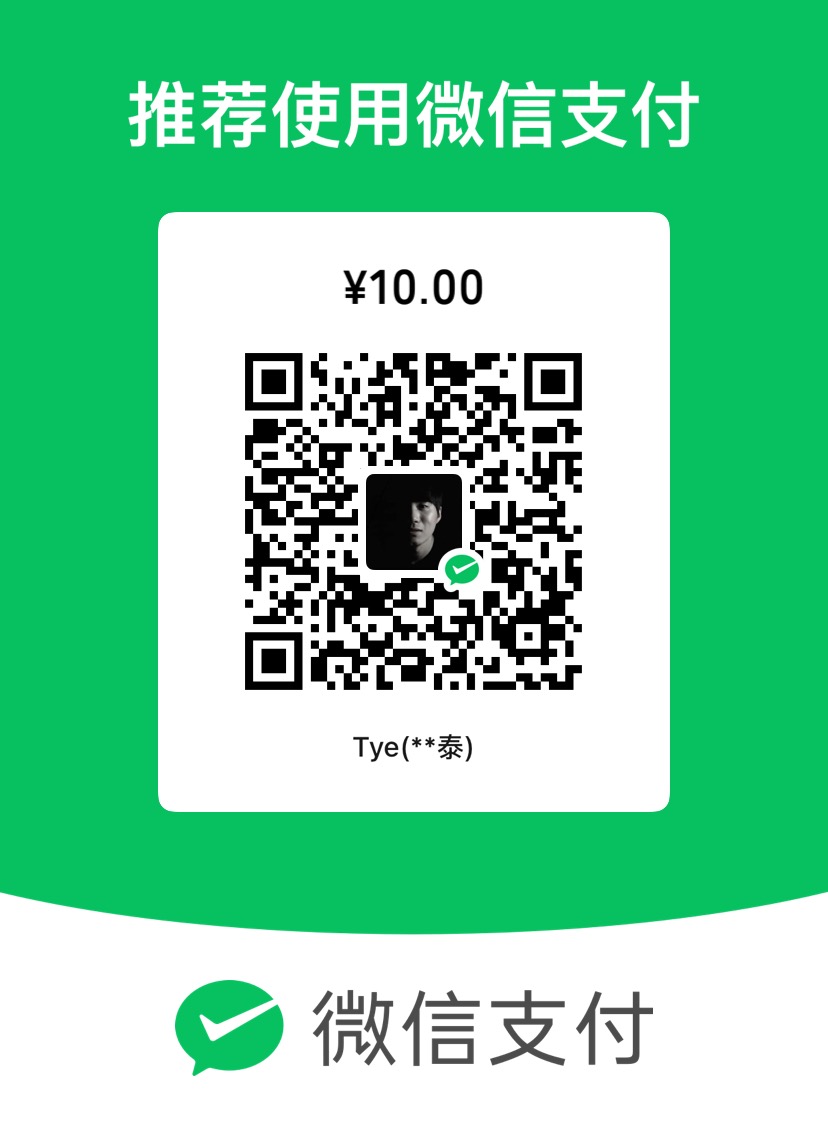
About Personal QR Codes: This website is maintained by an individual. The QR codes are for personal daily use, not merchant codes. Since personal QR codes may not be able to accept international credit card payments, the transaction may fail. However, this does not mean your card binding failed — the fact that you reached the payment page itself confirms that your binding was successful.
About the Amount: Please do not modify the preset amount. This is simply a payment test. If the payment goes through, consider it as buying me a coffee. The fixed amount is set to avoid any inconvenience caused by accidentally entering the wrong amount.
Important: The primary purpose of these codes is to help you verify whether your registration and card binding were successful, not to generate profit. If you're not comfortable, feel free to skip this step.